

ChatGPT challenges Excel and PowerPoint: OpenAI introduces native buttons to create and download Office files directly from the chat
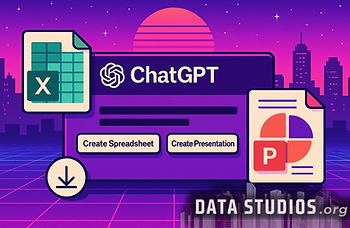
ChatGPT adds integrated features allowing users to generate and download Excel spreadsheets and PowerPoint presentations without ever leaving the conversation.
With the introduction of these new buttons within the platform, users can design, customize, and obtain professional documents in .xlsx and .pptx format without ever needing to open Microsoft apps or install additional software on their devices.
OpenAI is testing one of the most significant evolutions for ChatGPT since its launch: the ability to generate advanced spreadsheets and complete presentations in Office Open XML format directly from the chat interface, thanks to new buttons integrated into the same chat window. The rollout of these new "Create Spreadsheet" and "Create Presentation" buttons, currently limited to a small group of users, radically transforms the user experience. It’s no longer just about receiving text answers, but about getting ready-to-use files that can be downloaded, shared, or immediately adapted to suit your work or study needs. The ability to create and download these documents directly from the flow of dialogue makes productivity much more seamless and removes the friction of having to switch apps or digital environments.
How the news emerged:
The news was first reported thanks to an investigation by The Information, based on accounts from several anonymous internal sources involved in developing the new features. Additional details came from internal demos and screenshots seen by these sources, which revealed the presence of dedicated buttons within the ChatGPT interface.
Further confirmation arrived from OpenAI job postings, looking for developers with experience in Office document generation and workflow automation. The story was quickly picked up and reported by other international news outlets.
______
The adoption of open-source Office formats ensures maximum compatibility and eliminates any dependency on Microsoft licenses or subscriptions.
By using the open-standard .xlsx and .pptx formats, OpenAI guarantees that files created with ChatGPT are immediately usable with all major productivity software, including Microsoft Office, Google Workspace, LibreOffice, OnlyOffice, and other compatible solutions, providing maximum portability without any purchase or subscription obligations.
One of the most innovative aspects of OpenAI’s new strategy is the exclusive use of open-source standard formats, making the produced files universal and free from ecosystem restrictions. Creating a spreadsheet or presentation via ChatGPT doesn’t require any Microsoft 365 subscription, nor the need to install specific software. The user can download .xlsx and .pptx files and open them on their platform of choice, modify, enrich, and share them without technical barriers.
This also eliminates the typical compatibility issues between different versions of software, reducing risks of formatting or content loss: every document is generated natively to be correctly recognized and interpreted by any modern suite. The impact is twofold: on one side, it lowers the barriers to entry for students, freelancers, and teams without access to proprietary software; on the other, it pushes the entire sector toward greater interoperability among digital productivity solutions.

The initial release demonstrates speed and accessibility, but comes with some limitations in terms of collaboration and processing times.
While the ability to generate files directly from chat is a breakthrough, the version currently in testing may be less responsive and still lacks real-time collaborative functions like simultaneous editing and integrated cloud storage, which remain features of more mature office suites.
The introduction of these new tools in ChatGPT brings clear advantages in accessibility and simplicity, but it’s important to note the current limitations as well. Early reports from test users indicate that generating files can take a few extra seconds compared to native platforms, especially for particularly complex or multi-step workflows. At present, there are no real-time online collaboration functions, nor the ability to automatically save documents to integrated cloud storage as is standard on Google Workspace or Microsoft 365.
These limitations don’t detract from the initiative’s innovative value but do outline a roadmap still in evolution: OpenAI seems to be prioritizing the quality and universality of the generated documents, leaving the implementation of collaborative and cloud features for a later phase. In this way, the platform presents itself as a fast and lightweight solution for anyone who wants to instantly create and download professional documents, without the complexity of a full office infrastructure.
____________
FOLLOW US FOR MORE.
DATA STUDIOS
